
Engineering Design with SOLIDWORKS 2016 and Video Instruction A Step-by-Step Project Based Approach Utilizing 3D Solid Modeling
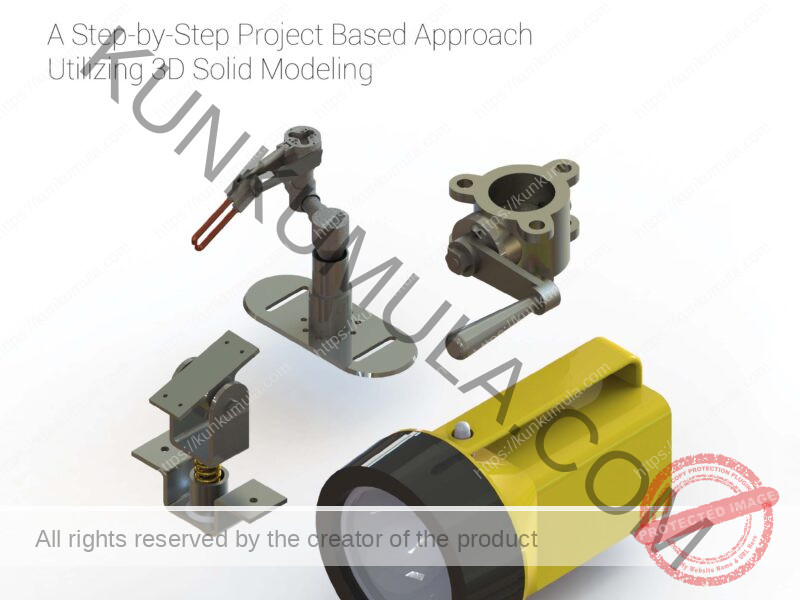
Engineering design can sometimes feel like trying to assemble a spaceship using only a screwdriver, half a sandwich, and blind confidence. Thankfully, Engineering Design with SOLIDWORKS 2022 is here to save students, engineers, designers, and curious keyboard warriors from complete CAD chaos. Whether you are a beginner who still clicks the wrong button 47 times a day or an intermediate user pretending to “totally know what that feature does,” this book is built to guide you step-by-step into the wonderful world of SOLIDWORKS.
This book is not one of those dusty technical manuals that makes you fall asleep before chapter one even finishes introducing itself. Instead, it uses practical projects, real-world examples, and clear instructions to teach SOLIDWORKS in a way that actually makes sense. Yes — learning engineering design without wanting to throw your computer out the window is possible.
Inside these pages, readers will explore everything from simple parts to complex assemblies. One minute you are designing machined components like a professional engineer, and the next minute you are building sheet metal parts while feeling like a mechanical superhero with unlimited Ctrl+Z powers. The projects are carefully designed to help users build confidence, skills, and maybe even a tiny emotional attachment to perfectly constrained sketches.
Projects 1 through 6 introduce the SOLIDWORKS User Interface and CommandManager in a friendly and practical way. Readers learn document settings, system properties, assemblies, drawings, BOMs, revision tables, configurations, and advanced features. In simpler words: this section teaches you how to stop fighting with the software and finally make it obey your commands like a loyal engineering sidekick.
The book also explores clever design techniques such as symmetry, patterns, configurations, and feature reuse. Translation? You will spend less time repeating boring tasks and more time looking like the smartest person in the room. Even SOLIDWORKS Toolbox and 3D ContentCentral join the party, helping users work faster and smarter instead of surviving on caffeine and panic alone.
Project 7 dives into Top-Down assembly modeling and Sheet Metal design. This is where things start feeling seriously professional. Readers learn how to create components In-Context using InPlace Mates and import parts through the Top-Down assembly method. If those terms sound complicated right now, don’t worry — by the end of the chapter, you’ll be saying them confidently while confusing your non-engineering friends at dinner.
Sheet Metal features are also covered in detail, helping users transform solid parts into production-ready designs. Suddenly, flat patterns, bends, and flanges stop looking like alien technology and start becoming tools you can actually control. It’s basically engineering magic — but with fewer wizards and more dimensions.
Projects 8 and 9 introduce SOLIDWORKS Simulation and Intelligent Modeling techniques. Here, readers begin exploring how designs behave in the real world before anything is physically manufactured. That means fewer expensive mistakes and fewer moments where something snaps, breaks, or launches unexpectedly across the workshop like a tiny metal rocket.
The book also provides valuable preparation for the SOLIDWORKS Simulation Associate (CSWSA-FEA) exam. Instead of simply memorizing random facts, readers learn practical modeling strategies and intelligent design methods that improve real engineering skills. Think of it as training your brain to become part engineer, part problem-solving machine.
Project 10 explores the exciting world of additive and subtractive manufacturing. Readers learn the differences between traditional manufacturing and modern 3D printing technologies. You’ll understand printer terminology, CAD model preparation, and how to prepare files for low-cost 3D printers. Warning: after this chapter, you may suddenly feel the urge to print absolutely everything in your house.
Project 11 focuses on preparing users for the Certified SOLIDWORKS Associate (CSWA) exam. The curriculum, categories, and required model knowledge are carefully explained to help readers confidently approach certification. This section is perfect for students and professionals who want proof that they can do more than just draw cubes and accidentally overdefine sketches.
What makes this book truly special is the real-world industry experience behind it. The author combines practical engineering knowledge with insights from engineers, managers, manufacturers, and vendors who use SOLIDWORKS every single day. These are professionals solving actual problems in real industries — not people whose greatest achievement is successfully printing a PDF.
The result is a book that feels practical, realistic, and genuinely useful. It teaches not only how to create 3D models, but also how engineering design works in professional environments where efficiency, accuracy, and smart decision-making matter. In other words, this book prepares readers for the real world — where deadlines are real, coffee is essential, and saving your work every five minutes becomes a survival instinct.
Whether you are a student starting your engineering journey, a designer improving your CAD skills, or a professional preparing for certification, Engineering Design with SOLIDWORKS 2022 delivers a complete learning experience packed with practical projects, industry techniques, humor, and hands-on knowledge. It’s more than just a technical guide — it’s your engineering companion on the road from “What does this button do?” to “I designed that.”